
How to Create an Efficient Digital Storage System: Tips for Beginners

The Importance of an Efficient Digital Storage System
In our increasingly digital lives, efficiently organizing files has transitioned from a mere convenience to a necessity. The sheer volume of data we generate daily—from emails and photographs to documents and presentations—has made it essential for individuals and businesses alike to adopt streamlined storage solutions. A well-structured digital storage system can significantly enhance productivity by minimizing the time spent searching for files and allowing for easier collaboration across platforms.
Key Elements of File Organization
- File Naming Conventions: Consistent and descriptive naming practices can drastically improve the ease of file retrieval. For example, instead of naming a document “Draft” or “Document1,” using a format like “2023_Project_Update_March” enables users to quickly identify the content without opening each file.
- Organizational Structure: Developing a logical folder hierarchy is crucial. Consider creating broader categories—such as “Work,” “Personal,” and “Projects”—and then breaking these down into subfolders. This layered structure allows for quick navigation and a clearer overview of your digital landscape.
- Backup Solutions: Without a comprehensive backup system, valuable data can be lost due to hardware failure, accidental deletions, or cyber threats. Implementing a backup solution, whether through cloud storage services like Google Drive or automated external hard drives, helps safeguard your files and gives you peace of mind.
Choosing the Right Tools
The options for digital storage are plentiful, which can make the decision-making process overwhelming. Nonetheless, evaluating your specific requirements is essential. Consider the following:
- Capacity: Assess how much storage you need based on your usage patterns. For instance, professionals constantly handling large video files may require several terabytes of space, while general users might find 500GB sufficient.
- Accessibility: Opt for systems that offer cross-device accessibility. Cloud storage solutions are often favored for their ability to sync files across smartphones, tablets, and computers, thereby allowing users to access their data from virtually anywhere.
- Security: With rising concerns about data breaches, ensuring your files are secure is paramount. Utilize services that offer features like two-factor authentication and robust encryption standards to keep your sensitive information safe from prying eyes.
The Road to a More Organized Digital Life
For those who find the initial setup of a digital storage system daunting, taking small, incremental steps can lead to significant improvements. Begin with these fundamental strategies, and you will soon find yourself navigating your digital environment with ease. As you invest time into this organization process, the benefits—including heightened productivity, reduced stress, and greater efficiency—will soon become apparent, making your digital life more manageable and enjoyable.
DISCOVER MORE: Click here to find out how minimalism can enhance your work-life balance</
Getting Started with Digital Storage: A Beginner’s Guide
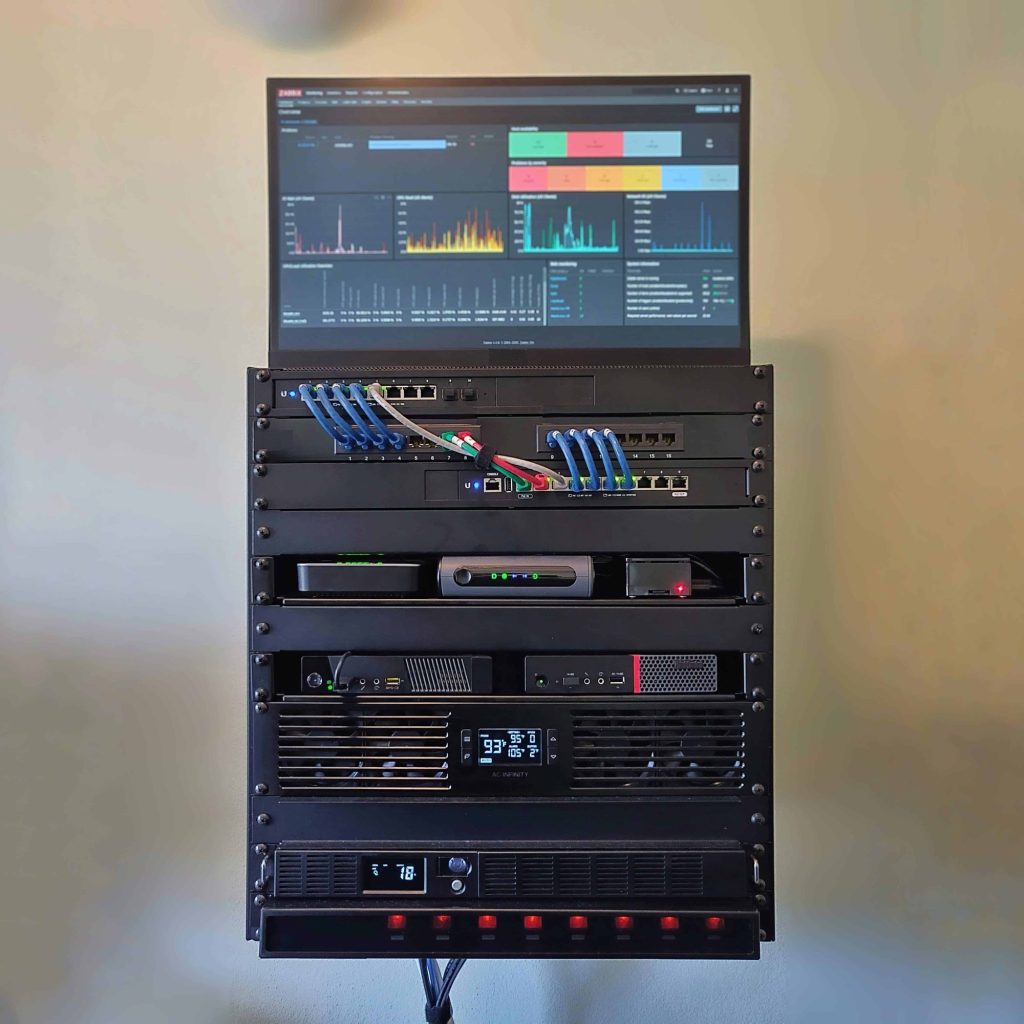
Embarking on the journey of establishing an efficient digital storage system may seem challenging at first, particularly given the multitude of choices available. However, breaking it down into manageable steps not only simplifies the process but also empowers users to take control of their digital spaces. By focusing on foundational aspects, beginners can create systems that not only organize but also streamline their daily activities.
Assessing Your Storage Needs
Before diving into the setup, it’s essential to evaluate your current digital storage habits and needs. Ask yourself critical questions to better understand what you require:
- What types of files do you use regularly? Identifying common file types—such as documents, images, videos, and audio files—will guide you in tailoring your storage system to address those specific requirements.
- How often do you access these files? Understanding your access frequency can aid in deciding whether to store files locally, in the cloud, or a mix of both. Regularly used files may benefit from being easily accessible on your desktop, while seldom-used archives can be stored online to save space.
- What is the volume of data you frequently manage? Knowing your file sizes and overall data volume will allow you to choose a storage solution with the appropriate capacity to prevent future bottlenecks.
Implementing File Versioning
In a dynamic digital environment where files frequently iterate, having a system for file versioning becomes crucial. This method allows you to keep previous iterations of a file, ensuring that you don’t lose valuable information in case of errors or unwanted changes. Many cloud storage platforms, such as Dropbox and Google Drive, come with built-in versioning features—enabling you to easily revert to earlier versions when necessary.
Incorporating file versioning into your digital storage strategy not only provides security but also promotes a more organized system. By regularly updating files while maintaining access to earlier versions, users can experiment freely with changes without the fear of permanently losing essential information.
Incorporating Digital Tools for Organization
As you develop your digital storage system, consider incorporating specialized tools designed for better organization and management. Here are a few popular options:
- File Management Software: Software such as Trello or Todoist can help you categorize tasks, deadlines, and files, making it easier to stay on top of your projects.
- Document Scanning Apps: Applications like Evernote or Adobe Scan allow you to digitize paper documents, enabling you to keep all your important files in one cohesive digital library.
- Digital Notes Application: Tools such as Notion or Microsoft OneNote are excellent for organizing notes, ideas, and receipts, allowing you to keep relevant information close at hand for future reference.
Continuous Maintenance for Long-Term Efficiency
Creating an efficient digital storage system isn’t a one-time task; it requires ongoing maintenance and tweaks as your needs evolve. Set aside time monthly or quarterly to review and refine your system. Regularly purge unnecessary files and reorganize folders as necessary to maintain optimal efficiency. This proactive approach will ensure that your digital life remains clutter-free, allowing for sustained productivity.
With these steps, beginners can lay a strong foundation for an organized digital space, paving the way for better management and enhanced efficiency in both personal and professional spheres.
Organizing Your Digital Storage System
Creating an efficient digital storage system begins with organization. One effective way to structure your digital files is to create a logical hierarchy of folders. Think about grouping files by categories such as projects, clients, or personal. This method minimizes the time spent searching for documents and ensures everything is accessible at a moment’s notice.
Labeling and Naming Conventions
Don’t overlook the importance of naming conventions. Use clear and descriptive names for folders and files. For example, instead of naming a document “Doc1”, opt for a title such as “2023_Marketing_Plan_Version_One”. This practice reduces confusion and enhances retrievability, especially in lengthy lists of files.
Cloud Storage vs. Local Storage
Another significant aspect of a efficient digital storage system is deciding between cloud storage and local storage. Cloud storage solutions, such as Google Drive or Dropbox, offer the advantage of accessibility from any device and automatic backup. On the other hand, local storage might provide you with faster access and control over your files. Consider your unique needs: If you frequently collaborate with others, a cloud solution might be your best bet. For sensitive information, local storage could provide a level of security that many cloud services lack.
Security Measures
Implementing security measures is crucial for protecting your data. Regularly update passwords and make use of two-factor authentication wherever possible. Keeping your digital storage secure not only protects your files but also fosters peace of mind, allowing for a more effective workflow.
Using Software Tools
Leverage software tools designed to aid in digital storage management. Applications like Evernote, Trello, or specific file management software help not only in organizing files but also in maintaining a steady workflow. These tools can assist beginners in creating a streamlined and efficient digital storage system that suits their individual needs.
| Category | Description |
|---|---|
| Cloud Storage | Offers remote accessibility and automatic backups. |
| Local Storage | Provides faster access and greater control over files. |
By employing these strategies, beginners can establish a robust digital storage system that will streamline their workflow, ensuring that critical information is always within reach.
DISCOVER MORE: Click here to learn how to enhance your space</p
Maximizing Your Digital Storage: Advanced Tips and Strategies
As beginners become familiar with the foundational elements of creating an efficient digital storage system, it’s essential to dive deeper into more advanced strategies that can further enhance organization and accessibility. Utilizing specialized techniques and understanding the landscape of digital storage options can significantly improve your overall digital management.
Choosing the Right Storage Option
With countless digital storage solutions available, selecting the right ones is vital for maximizing efficiency. The two primary categories are cloud storage and external hard drives, each offering distinct advantages.
- Cloud Storage: Services such as Google Drive, Microsoft OneDrive, and Box provide online access, seamless collaboration features, and automated backups. These platforms are ideal for users who need to access files from multiple devices or collaborate with others in real time.
- External Hard Drives: For users with significant amounts of data, external hard drives can store massive amounts of files without relying on internet connectivity. They are particularly useful for long-term archiving and provide users with physical control over their data. Brands like Seagate and Western Digital are popular choices for reliability and performance.
Establishing a Naming Convention
Implementing a consistent naming convention across your files and folders can vastly streamline your digital storage. A well-thought-out naming structure that incorporates relevant details—such as dates, project names, and versions—will make it easier to locate files quickly. For instance, using a format like YYYY-MM-DD_ProjectName_Version helps to keep important information at the forefront and enables fast sorting.
Consider creating a simple spreadsheet detailing your naming conventions and guidelines. This clarity will be especially beneficial if you collaborate with others, ensuring everyone adheres to the same standards and reducing confusion.
Utilizing Tags and Metadata
Tags and metadata can transform the way you search and organize files. By adding descriptive keywords or tags to your documents and media, you add an additional layer of organization that enhances searchability. Many modern operating systems and cloud storage solutions, such as macOS and Google Drive, allow users to incorporate these features easily.
For instance, if you save a project file on climate change, tagging it with keywords such as “environment,” “research,” or “presentations” makes it easier to find during future searches. Implementing a tagging system can significantly reduce time spent looking for files and enhance your overall efficiency.
Backup Strategies for Data Security
The importance of a reliable backup strategy cannot be overstated. Relying solely on one storage solution puts you at risk of data loss due to technical failures, accidental deletion, or cyber threats. Implement the 3-2-1 backup strategy: keep three copies of your data, on two different media, with one copy stored off-site.
For example, you might have your primary data stored on your computer, a secondary copy on an external hard drive, and a third copy in a cloud storage platform. This approach ensures that even if one or two options fail, your information remains safe and accessible.
Integrating Automation Tools
Automation can significantly enhance how you maintain your digital storage system. Tools like IFTTT (If This Then That) or Zapier can help automate repetitive tasks such as backing up files, organizing data, or transferring newly created documents to specific folders. Using these tools not only saves valuable time but also ensures consistent organization.
As you navigate the complexities of digital storage, adopting these advanced strategies will further streamline your experience, making it easier to maintain an efficient, organized digital space that aligns with your evolving needs. Whether for personal projects or professional endeavors, mastering these elements will elevate your digital management skills significantly.
DIVE DEEPER: Click here to learn about developing conscious consumption habits
Conclusion
In today’s digital age, establishing an efficient digital storage system is not just a necessity but a foundational skill for anyone looking to navigate the vast landscape of information. As discussed, understanding the core components—from choosing the right storage options like cloud services to external hard drives—sets the stage for an organized and accessible digital environment. By implementing a consistent naming convention and harnessing the power of tags and metadata, users can enhance their file retrieval capabilities, saving precious time and effort.
Moreover, safeguarding your data through reliable backup strategies such as the 3-2-1 method ensures peace of mind in the event of technical failures or accidental deletions. In addition, embracing automation tools like IFTTT and Zapier can revolutionize your workflow, allowing for more time to focus on what truly matters.
As you embark on this journey towards optimal digital organization, continue to explore and adapt your system as your needs evolve. With each meticulously organized file, you’re not just managing data; you’re creating a streamlined avenue toward productivity and creativity. By mastering these strategies, you’ll not only conquer chaos but also empower your digital life. Whether you’re a student, a professional, or an enthusiast, the time to enhance your digital storage system is now. Dive in, experiment, and embrace the newfound efficiency that effective digital management provides.